Announcing Slatewave: One Palette. Every Tool.
I spend my entire workday switching between five or six tools: editor, terminal, notes app, launcher, chat. Even when each one looks fine on its own, jumping between them always felt visually jarring. Every tool wants its own identity, and the result is a workspace that looks like a ransom note.
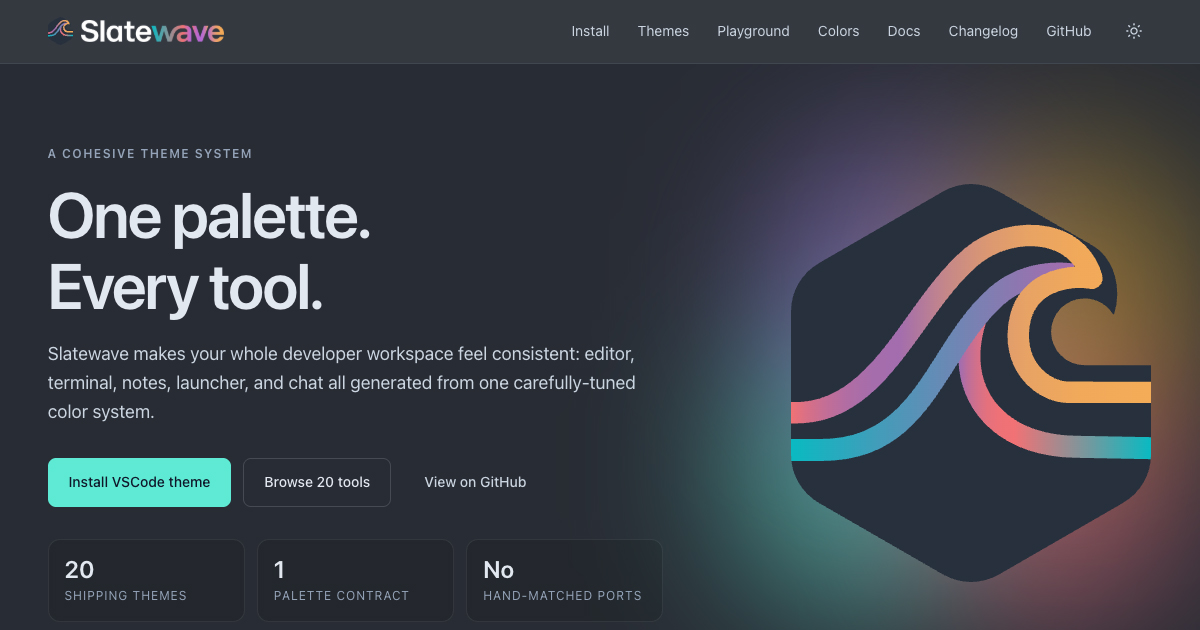
So I built Slatewave: one carefully tuned palette, ported across all of those surfaces, so my whole workspace finally feels like one thing. It’s live now in beta with 20 shipping themes, and it’s free and open source.
What is Slatewave?
Slatewave is a single color system applied consistently across the tools developers use every day. The tagline is “One palette. Every tool.”, and that’s the whole pitch.
Right now it covers four surface categories:
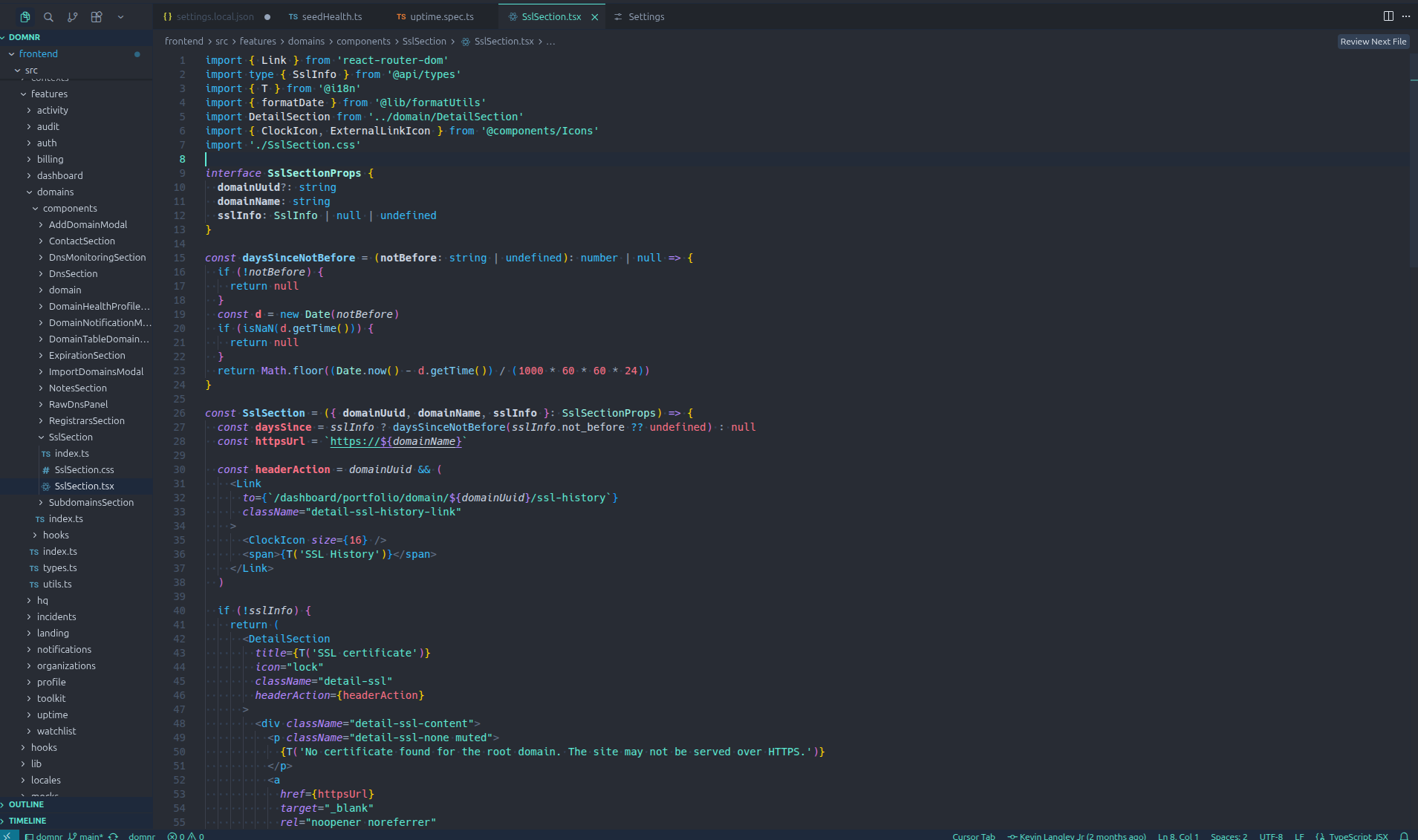
- Editors: VSCode, JetBrains, Neovim, Sublime Text, Helix, Zed
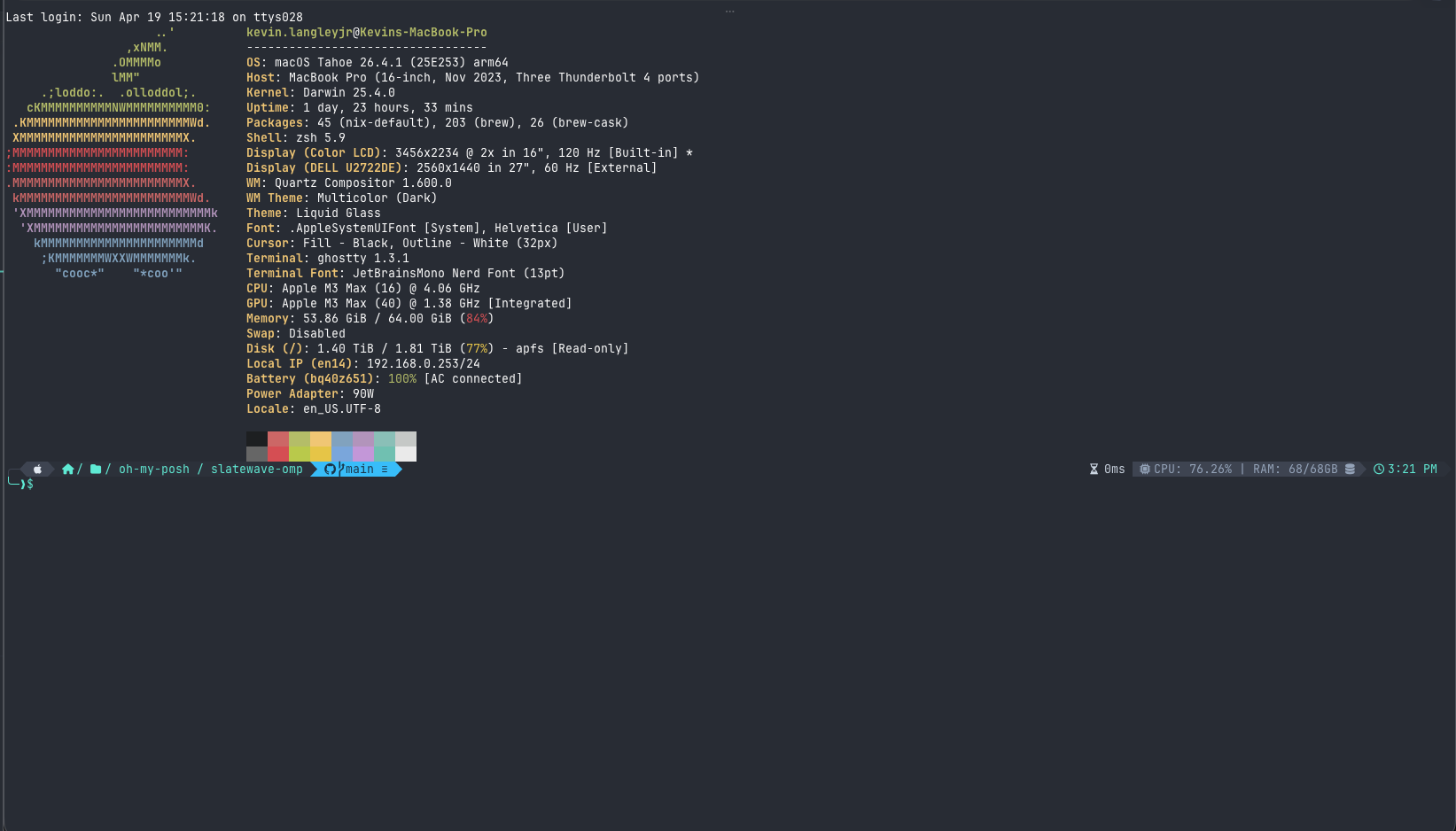
- Terminals: Oh My Posh, Starship, Ghostty, iTerm2, Alacritty, WezTerm, Windows Terminal, tmux
- Notes: Obsidian, Logseq, MarkEdit
- Productivity: Alfred, Raycast, Slack
Every theme is generated against the same palette contract, so a function name in your editor uses the same hue as a keyword in your terminal prompt as a heading in Obsidian. The VSCode theme is the canonical source of truth, and every other port mirrors from it, with no hand-matched colors that drift over time.
It’s free, open source, no signup, no telemetry. You install the themes the same way you’d install any other theme for those tools.
Why I built it
The honest answer is that I got tired. I tried a lot of popular themes, and most of them are great in isolation, but every time I switched to a different tool I’d get a different vibe, and over the course of a long session that wears on me. I wanted a baseline of visual calm that didn’t break every time I tabbed away from the editor.
When I started, I gave myself five tenets to design against:
- Coherent over distinctive. Consistency across tools beats local cleverness. A theme that “stands out” inside one tool but clashes with the rest fails the whole-workspace test.
- Calm over contrast. Optimized for hours of reading code, not five-second screenshots. Saturation is dialed back deliberately.
- Semantic over decorative. Each accent has a job: teal is focus and CTAs, sky is keywords, rose is errors and numbers, purple is language built-ins, amber is warnings. The same hue means the same thing everywhere.
- One source of truth. The VSCode theme is canonical. Every other theme mirrors from it, which is the only way to keep 20 ports honest.
- Open and portable. Public repos, no accounts, no subscriptions, works offline.
I also wanted it to be the kind of project I could actually finish. Picking one palette and porting it everywhere is a much more bounded problem than designing N themes from scratch, and it forces every decision to be defensible across surfaces, not just in one tool.
The palette
The foundation is the Tailwind slate scale: neutral, slightly cool, low-fatigue at long durations.
The signature accent is teal (#5eead4), which carries through every theme as the “this is the focused/active/important thing” color.
The rest of the palette is built around four supporting accents, each with a fixed semantic role:
- Sky: keywords and structural language
- Rose: errors, numbers, and destructive actions
- Purple: built-ins and language identifiers
- Amber: warnings
That semantic mapping is the part I’m most opinionated about. A blue keyword in your editor should still feel like the same kind of thing as a blue prompt segment in your terminal. Once your eyes learn the contract, every tool gets faster to read.
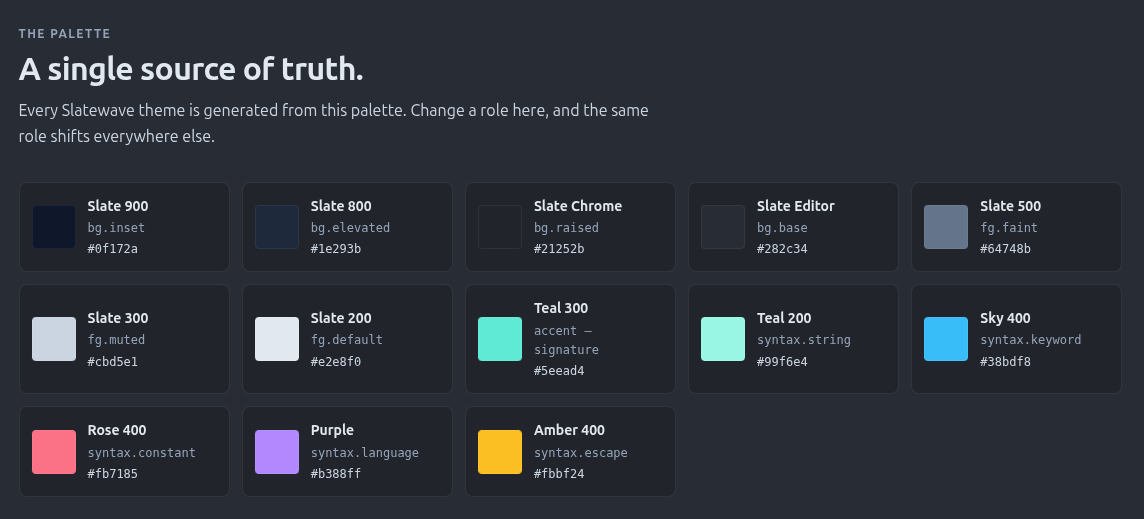
You can see the full palette and copy any value with one click at getslatewave.com/colors.
What’s shipping today
All 20 themes below are in beta and installable right now:
Editors
- VSCode, JetBrains, Neovim, Sublime Text, Helix, Zed
Terminals
- Oh My Posh, Starship, Ghostty, iTerm2, Alacritty, WezTerm, Windows Terminal, tmux
Notes
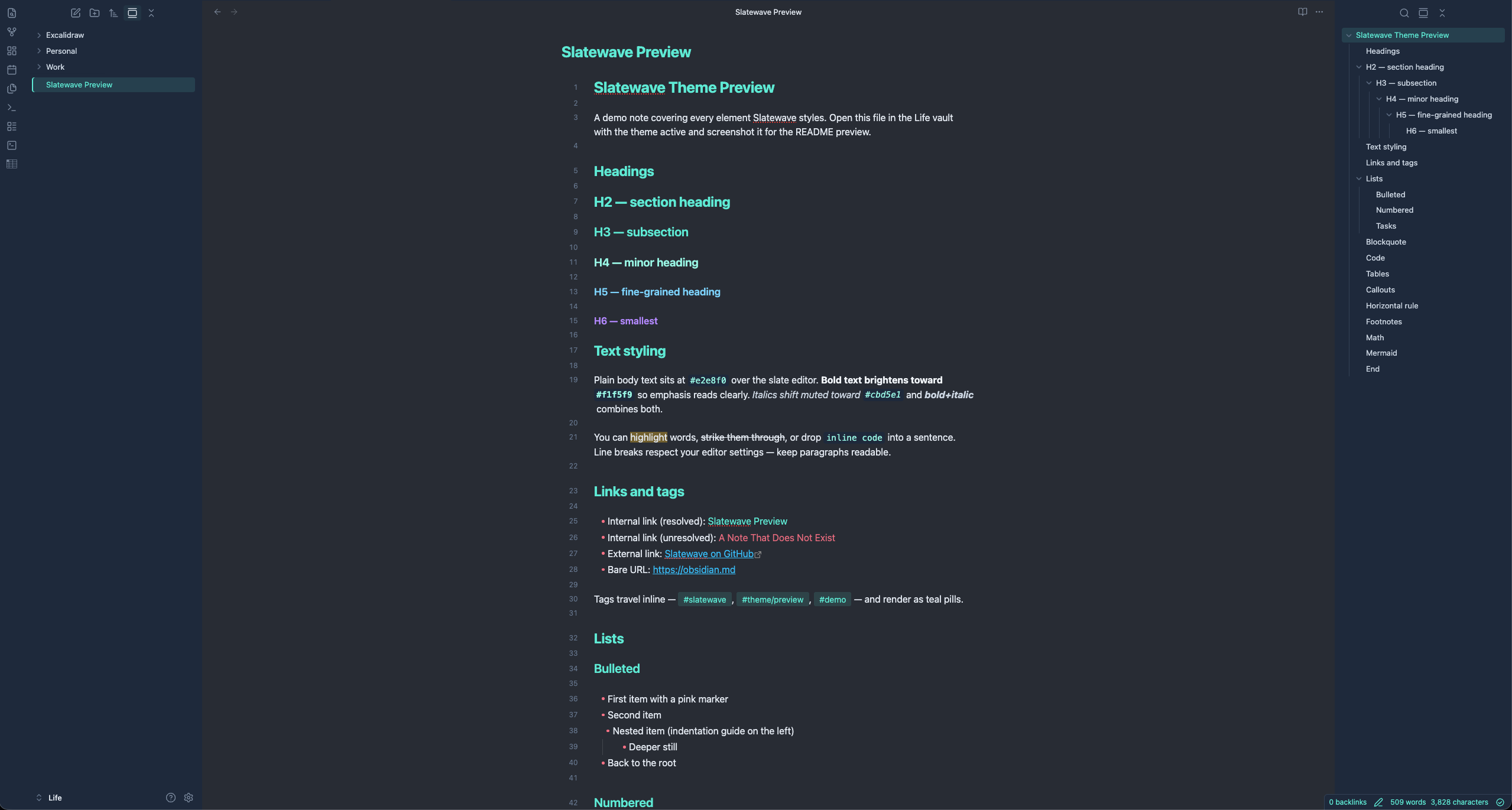
- Obsidian, Logseq, MarkEdit
Productivity
- Alfred, Raycast, Slack
Two more, Kitty and Anytype, are planned and on the roadmap.
You can browse all of them, see live previews, and grab install instructions at getslatewave.com/themes. Each theme has its own page with the install commands, source repo, and a preview rendered in that tool’s actual styling so you can see what you’re getting before you flip the switch.
Try it
The fastest way in is the VSCode extension:
code --install-extension kevinlangleyjr.slatewaveIf you live somewhere else, head to getslatewave.com/themes and pick your stack. Most installs are one command or one config file edit.
What’s next
Short list: ship Kitty and Anytype, keep the palette contract tight as new tools come online, and start collecting feedback from anyone running the full stack. The whole point of the project is the coherent part, and the only way that stays true at 25 themes is if every new port gets reviewed against the same tenets.
If you try it and something feels off, whether it’s too dark, the wrong accent, or a missing tool you live in, open an issue on the relevant repo or ping me. I’d love screenshots of what your setup looks like with every surface running Slatewave at once. That’s the view I built it for.