Reading the 16 ANSI Slots: How Terminal Color Actually Works
I covered this briefly in Building Slatewave, in the context of why the terminal is the hardest place to port a theme to. That section was compressed because the post had a lot of other ground to cover. This one is the standalone version: how color actually reaches your terminal, why every CLI tool you use ends up speaking the same 16-slot alphabet, and what the modern extensions (256 colors, truecolor) really change.
If you’ve ever wondered why git diff colors look different in tmux than in your bare terminal, or why your prompt looks great locally and unreadable over SSH, this is the post.
The escape sequence underneath everything
Every color you see in a terminal is the result of a Select Graphic Rendition (SGR) escape sequence. The shape is always the same:
ESC [ <code> mESC is the literal escape character (0x1b, often written \x1b, \033, or \e). The [ opens a Control Sequence Introducer. The number is the SGR code. The m closes it and tells the terminal “this is a graphic rendition command, not a cursor move or anything else.”
You can produce one by hand:
printf '\x1b[31mhello\x1b[0m\n'That writes “hello” in red, then resets back to the default. The 0 is the reset code. If you forget it, the rest of your terminal session stays red until something else flips the state.
Every color library, every prompt theme, every ls --color, every spinner, every progress bar in every CLI tool you’ve ever used eventually emits one of these sequences. They’re the entire mechanism.
The 16 base colors
The original SGR foreground colors are codes 30 through 37:
| Code | Name |
|---|---|
| 30 | Black |
| 31 | Red |
| 32 | Green |
| 33 | Yellow |
| 34 | Blue |
| 35 | Magenta |
| 36 | Cyan |
| 37 | White |
Background is 40 through 47, same order. So \x1b[31m is red foreground, \x1b[41m is red background.
The 8 “bright” variants are codes 90 through 97 for foreground, 100 through 107 for background. Bright red is \x1b[91m. Bright cyan is \x1b[96m. That gives you 16 foreground slots and 16 background slots in total.
Here’s the part that’s easy to miss: the names are historical, the actual displayed color is set by your terminal’s color scheme. The codes are 0-indexed into the palette: 30-37 are slots 0-7 (so \x1b[31m, red, is slot 1), and the bright codes 90-97 are slots 8-15. When a program emits \x1b[31m, it’s saying “use slot 1.” Your terminal looks up slot 1 in whatever palette it’s been configured with and renders that hex value.
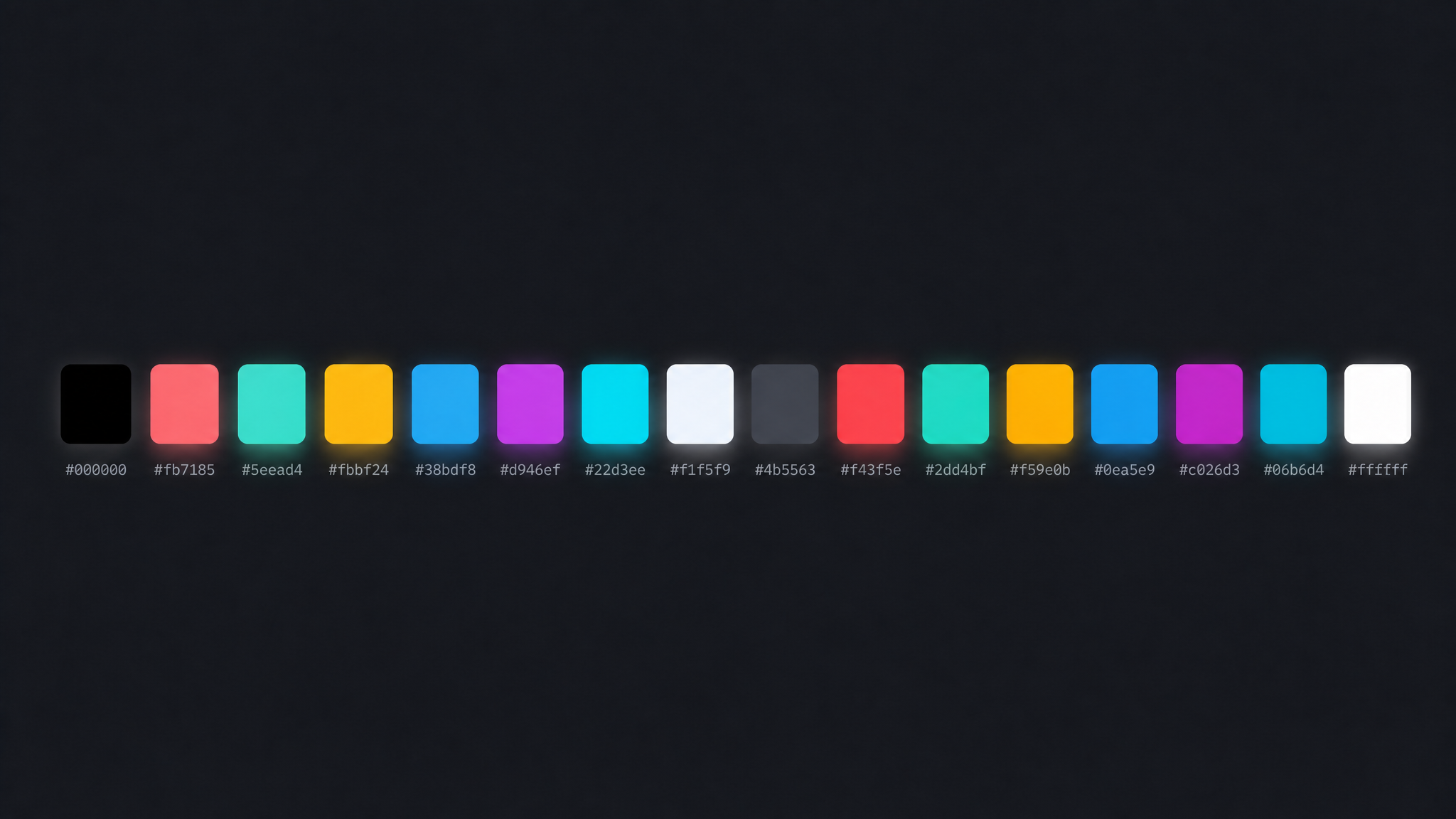
If you’re running Slatewave, your “red” is #fb7185. If you’re running Solarized, it’s #dc322f. If you’re running the default Apple Terminal, it’s something else again. Same SGR code, different output.
This is also why a CLI tool’s red errors and your prompt’s red branch indicator end up the same color. They both ask for slot 1, and the terminal makes that decision once.
The bright vs bold confusion
If you read older documentation, you’ll see two different ways to get a “brighter” color:
printf '\x1b[1;31mhello\x1b[0m\n' # bold + red (SGR 1 + 31)
printf '\x1b[91mhello\x1b[0m\n' # bright red (SGR 91)In the original VT100 spec, SGR 1 was just “bold,” meaning a heavier font weight. On terminals that couldn’t render bold weight properly, manufacturers started using bold to mean “brighter color” instead. Now you have decades of CLI tools that emit \x1b[1;31m expecting a brighter red, and decades of terminal emulators that interpret bold as either weight or brightness or both.
Modern terminals usually let you configure this. Ghostty, iTerm2, and Alacritty all expose a “draw bold text in bright colors” toggle. If it’s on, \x1b[1;31m and \x1b[91m render identically. If it’s off, the first is heavy red, the second is bright red.
The cleanest answer when you’re writing your own tool: emit explicit bright codes (90-97) when you want bright, emit explicit bold (1) only when you actually want a heavier weight. Don’t conflate them. Don’t depend on the terminal to do the right thing.
256 colors
Terminal manufacturers eventually wanted more than 16, but they didn’t want to break the existing escape sequences. The compromise was an extension: codes 38 and 48 take additional parameters that select from a wider palette.
\x1b[38;5;<n>m foreground, palette mode, color n (0-255)
\x1b[48;5;<n>m background, palette mode, color n (0-255)The 256-color palette is laid out as:
- 0-15: the original 16 base colors. Mapped to whatever your terminal’s color scheme says, exactly the same as if you’d used 30-37 or 90-97.
- 16-231: a 6×6×6 RGB cube. 216 colors at fixed RGB coordinates. Color 16 is
(0,0,0), color 231 is(5,5,5)(the cube’s max), and the math for any color in between is16 + 36*r + 6*g + bwhere each component is 0-5. - 232-255: a 24-step grayscale ramp from near-black to near-white.
printf '\x1b[38;5;202mhello\x1b[0m\n'The 6×6×6 cube is fixed: terminals don’t get to remap it the way they do with the first 16. Color 202 is the same orange everywhere. That makes the 256 range predictable but also less useful for theming, because you can’t tune those values to fit your palette.
You can dump the whole palette in your shell to see what’s actually rendering:
for i in {0..255}; do
printf '\x1b[48;5;%dm %3d \x1b[0m' "$i" "$i"
if (( (i + 1) % 16 == 0 )); then echo; fi
doneThe first row is your themed 16. After that comes the 6×6×6 cube, then the 24-step grayscale ramp at the end. If your “red” in the first row doesn’t look like the red in the cube, that’s the theming working as intended.
Truecolor
The full 24-bit extension came later and uses parameter 2 instead of 5:
\x1b[38;2;<r>;<g>;<b>m foreground, RGB mode
\x1b[48;2;<r>;<g>;<b>m background, RGB modeprintf '\x1b[38;2;94;234;212mhello\x1b[0m\n'Three values, each 0-255, applied directly. No palette lookup. The terminal just renders the RGB.
Truecolor is widely supported now (Ghostty, iTerm2, Alacritty, WezTerm, Windows Terminal, and most modern emulators all handle it), but two caveats matter:
Detection is unreliable. There’s no standard environment variable that’s universally set. The convention is COLORTERM=truecolor (or COLORTERM=24bit), but plenty of terminals don’t set it. Plenty of CLI tools that could emit truecolor probe for it badly and degrade to 256 or 16 unnecessarily.
Multiplexers and SSH break it. tmux passes truecolor through only if you’ve enabled terminal-overrides correctly. Older versions of screen don’t pass it at all. SSH passes whatever your remote shell emits, but the remote shell’s $TERM setting often understates the local terminal’s capability.
Truecolor is the right thing for a TUI app where you control the rendering pipeline (a code editor, a fancy git client, a notes app). For tools that have to work across hundreds of terminals (a shell prompt, a system command), the 16-slot palette is still the safest target.
Detection: the env var dance
Programs that want to color their output need to know whether they should. The signals available, in order of how reliable they are:
echo "$TERM" # e.g., xterm-256color, screen-256color, dumb
echo "$COLORTERM" # e.g., truecolor, 24bit, gnome-terminal
echo "$NO_COLOR" # if set to anything, disable color (no-color.org)
tput colors # asks terminfo: 8, 16, 256, or larger$TERM is the oldest and most universally set, but it’s a coarse signal. xterm-256color tells you the terminal supports 256, but doesn’t tell you about truecolor. screen-256color is what older tmux usually sets (newer versions use tmux-256color), and it understates the actual capability of whatever’s underneath.
$COLORTERM is the modern truecolor signal, but you can’t trust its absence. Many terminals just don’t set it.
$NO_COLOR is the right way for a user to opt out globally. Any tool that respects it (an increasing number do) will see the variable set to anything and disable color output entirely. It’s the inverse of the other variables: presence means off.
tput colors is the slowest but most authoritative for the 16/256 split. It reads the terminfo database for whatever $TERM claims to be and returns the color count.
The honest answer is that detection is broken in subtle ways across the ecosystem, and most tools end up just emitting whatever they think will probably work. If you’re writing a CLI tool, respect $NO_COLOR, default to 256 if $TERM mentions 256, default to 16 otherwise, and gate truecolor behind a config flag rather than auto-detection.
Why this matters for theming
The reason I care about all of this: the 16-slot palette is the alphabet that every CLI tool you use is speaking, whether it knows it or not.
git diff emits red for deletions and green for additions. It does this by sending SGR codes for slots 1 and 2. Those slots map to whatever your terminal’s palette says, and your terminal’s palette is set by your theme.
ls --color uses LS_COLORS, a colon-separated string of slot codes mapped to file types. Directories are usually slot 4 (blue). Symlinks are slot 6 (cyan). Executables are slot 2 (green).
grep --color=auto highlights matches in slot 1 (red).
Your shell’s prompt segments, your man page colors, your htop bars, your vim syntax (when running in a non-truecolor mode), your spinner libraries, your build tool’s progress output. All of it routes through the same 16 slots.
If you map those slots well, every tool you use inherits semantic consistency for free. Slatewave maps slot 1 to rose (errors and deletions), slot 2 to teal (success and additions), slot 3 to amber (warnings), slot 4 to sky (info and links). Every tool that emits “red for error” gets the rose hue. Every tool that emits “green for success” gets the teal. The semantic contract holds without each tool having to know about it.
This is also why “theming a terminal” looks like writing a 16-row config file in most emulators. There aren’t more knobs because there don’t need to be. Sixteen well-chosen colors with clear semantic roles is the entire surface area.
Read your own terminal
If you want to see what your current terminal is actually rendering, run this:
for i in {0..15}; do
printf '\x1b[48;5;%dm %2d \x1b[0m' "$i" "$i"
done
echoSixteen swatches. The first eight are the normal slots (30-37). The last eight are the bright variants (90-97). Every one of them is decided by your terminal’s color scheme, and every CLI tool you use will route through them.
Once you’ve seen them as an alphabet rather than as decoration, the rest of terminal customization (prompts, themes, multiplexer status bars) starts looking less like styling and more like protocol design. Which it is.